Credit: This activity was originally designed by Semmy Purewall and has been adapted for this course.
Rule of Thumb: Never develop directly on
main. Create a branch for your work.
In this activity, you will work with a partner to practice:
- collaborating with Git and GitHub
- working on feature branches
- resolving merge conflicts
- comparing merge and rebase
You will use one shared repository for the entire activity.
You will both start from the same version of main, create separate feature branches, and make conflicting changes.
At the beginning, each person creates a branch from the same commit:
2.1 Create feature branches (in parallel)
Work on these at the same time — Person A (owner) does the left column, Person B (collaborator) does the right.
Person A Create feature-a
Make sure you are on main, then create a feature branch:
git checkout main
git checkout -b feature-a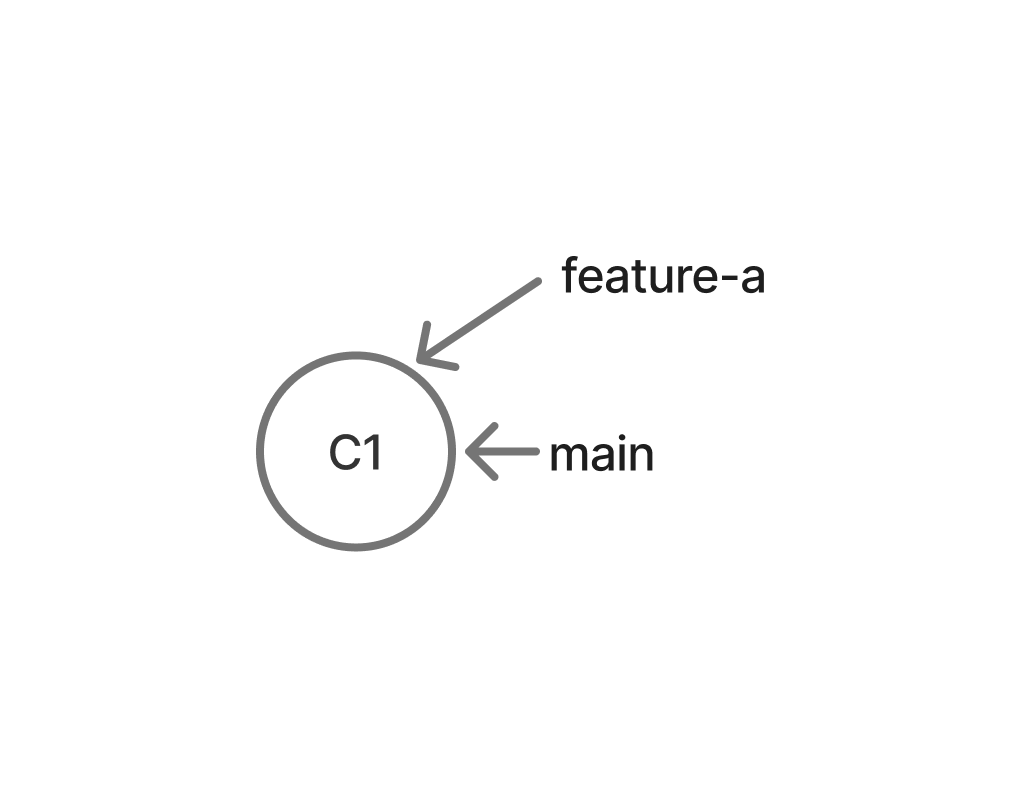
Change say_hello() so that it accepts a name.
For example:
say_hello("Walter")should print:
Hello Walter!Test your code.
Then commit and push your branch:
git add .
git commit -m "Add named greeting"
git push -u origin feature-a
Person B Create feature-b
Make sure you are on main, then create a different feature branch:
git checkout main
git checkout -b feature-b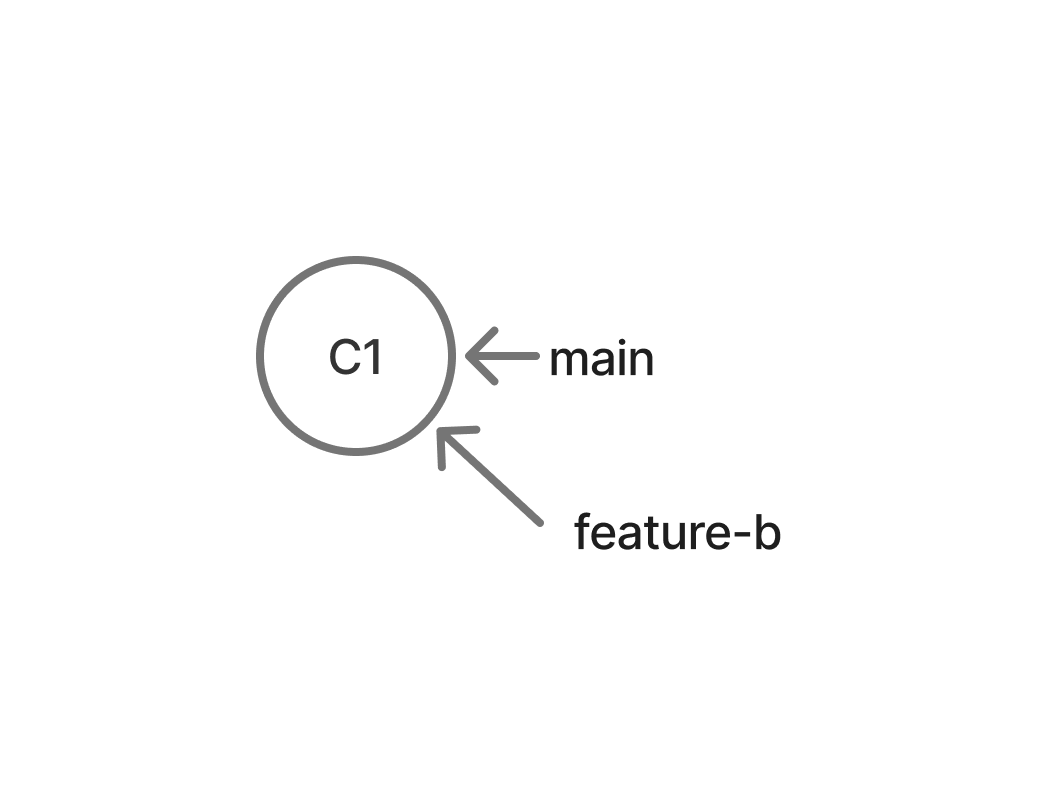
Change the function so that it prints "hello world!" a specified number of times.
For example:
say_hello_n(3)should print:
hello world!
hello world!
hello world!
Test your code.
Then commit and push your branch:
git add .
git commit -m "Add repeated greeting"
git push -u origin feature-b
2.2. Sync and verify (both partners)
Once both of you have pushed your feature branch to GitHub, fetch each other’s work and confirm you are still in sync.
On both computers:
git checkout main
git fetch origin
git pull origin main
List the remote branches:
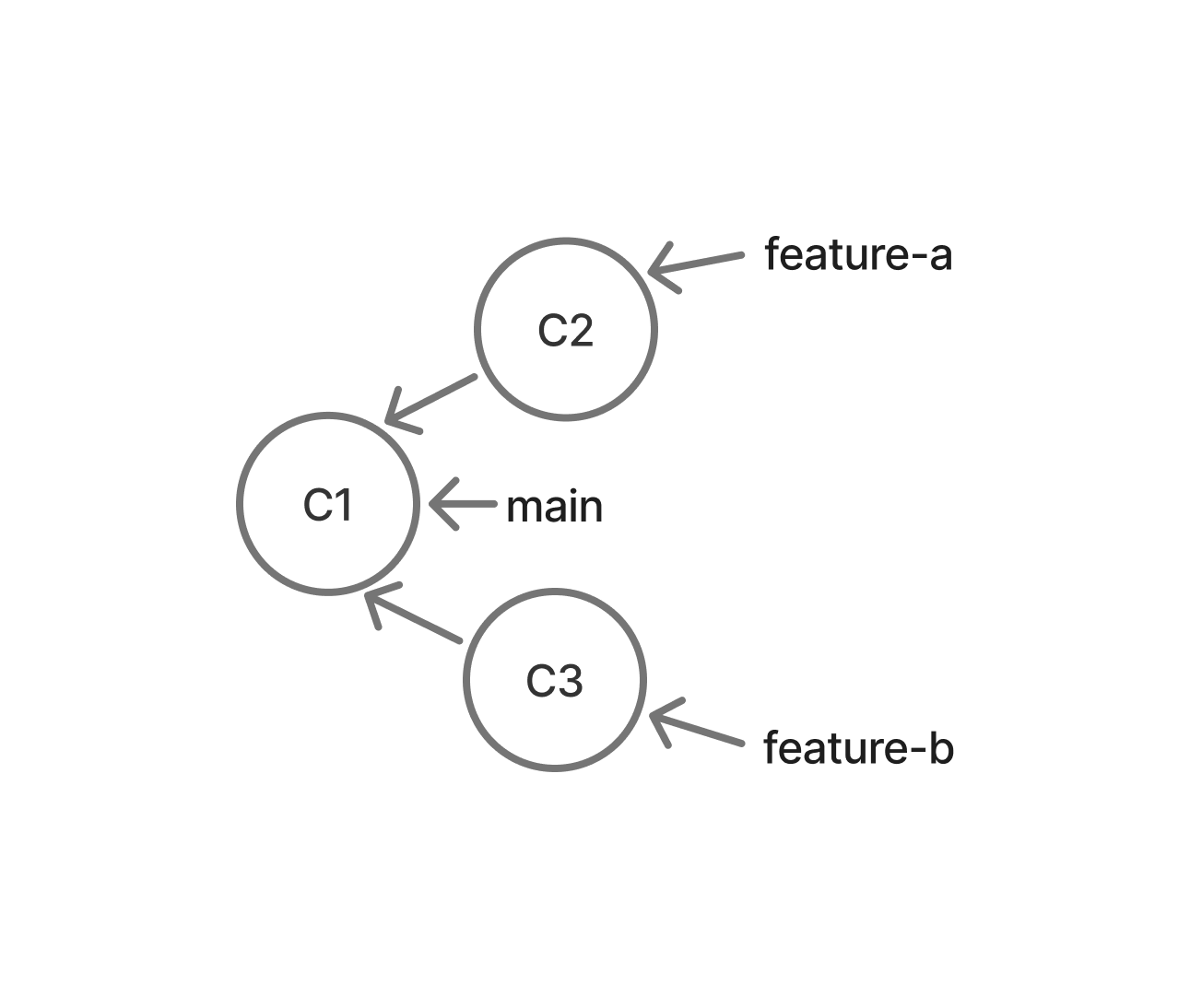
git branch -rYou should see both origin/feature-a and origin/feature-b.
Then check that you share the same main commit:
git log -1 --onelineBoth partners should see the same commit hash and message (the starter commit from Part 1). If anything is missing, wait for your partner to finish pushing, then fetch again.
Your Git Tree should now look like this:
2.3. Merge feature-a into main
Person A will merge their feature first.
On Person A’s computer:
git checkout main
git merge feature-a
git push origin main
Now the shared repository looks like this:
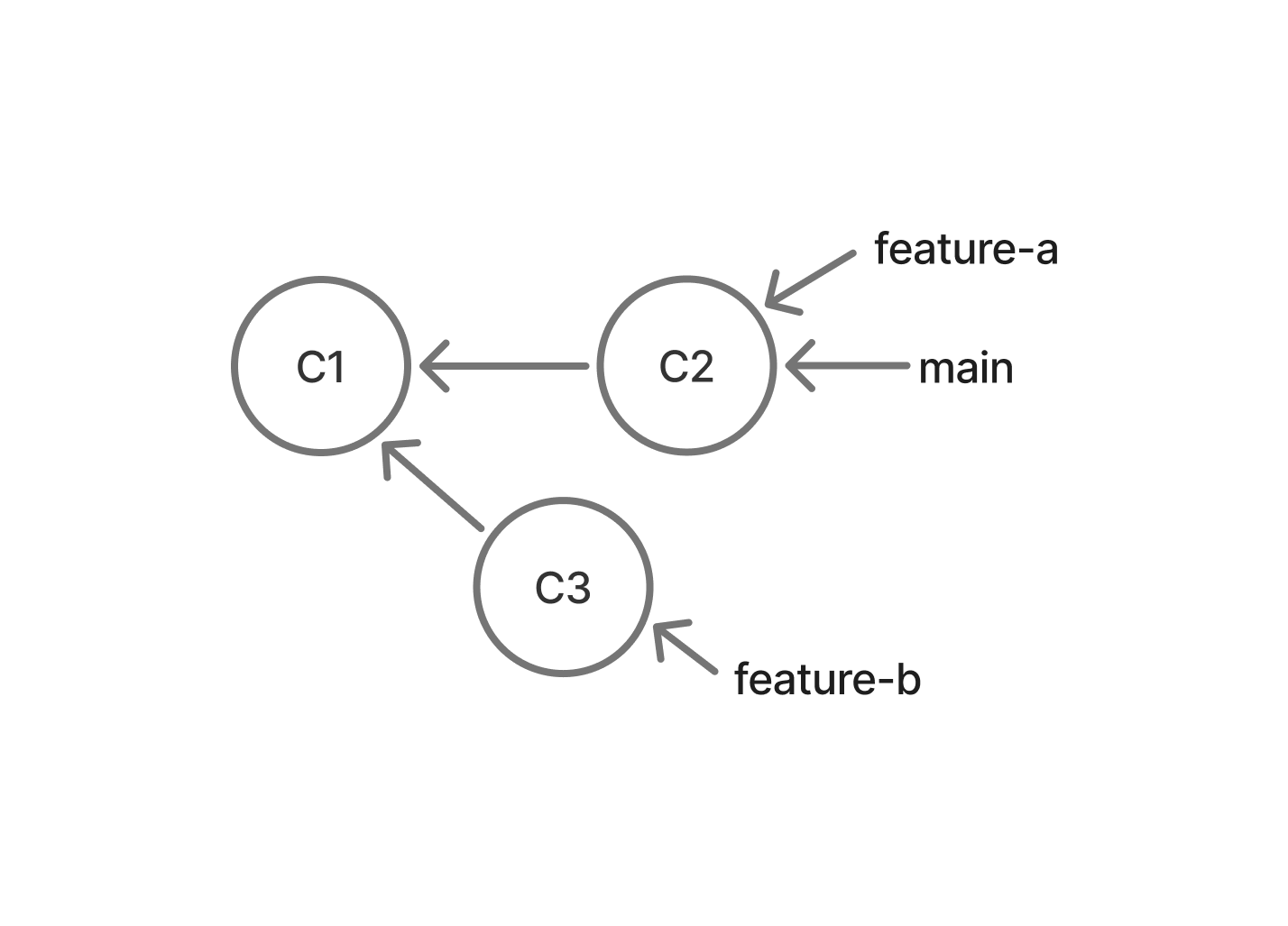
Person A’s job was easy. Git simply moved the main pointer to their most recent commit. Compare the last two diagrams carefully so you understand what just happened. This kind of merge is called a fast-forward, because main had not diverged from feature-a (it was still an ancestor of that commit).
2.4. Person B Update main
Before feature-b can be merged, Person B should bring the newest main into their branch. On Person B’s computer:
git checkout main
git pull origin main
Now switch back to the feature branch:
git checkout feature-bView the history:
git log --all --graph --onelineBecause you edited the same part of my_code.py, but on a different branch than Person A, your history has diverged. Therefore, integrating your code with your partner’s code should create a conflict that you will need to manually resolve.
2.5. Merge main into feature-b
While on feature-b, run:
git merge mainGit should report a merge conflict.
Open my_code.py. You should see conflict markers similar to:
<<<<<<< HEAD
...
=======
...
>>>>>>> main
Edit the file so that:
- the named greeting still works
- the repeated greeting still works
- all conflict markers are removed
Test the program.
Then finish the merge:
git add .
git commit -m "Merge conflicts resolved"
View the history:
git log --all --graph --oneline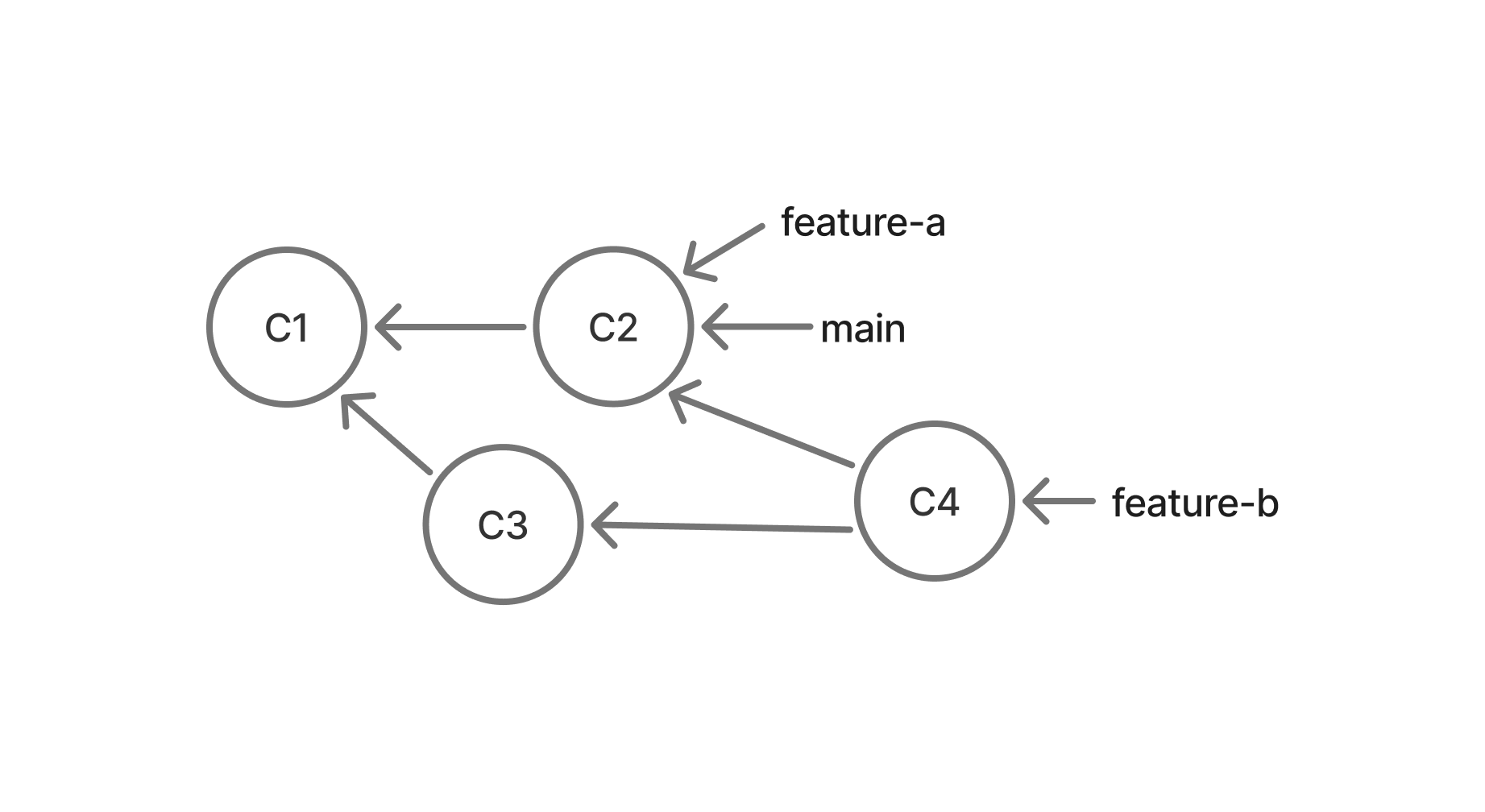
Push your updated feature branch:
git push origin feature-bThen merge it into main:
git checkout main
git merge feature-b
git push origin main
View the history again:
git log --all --graph --oneline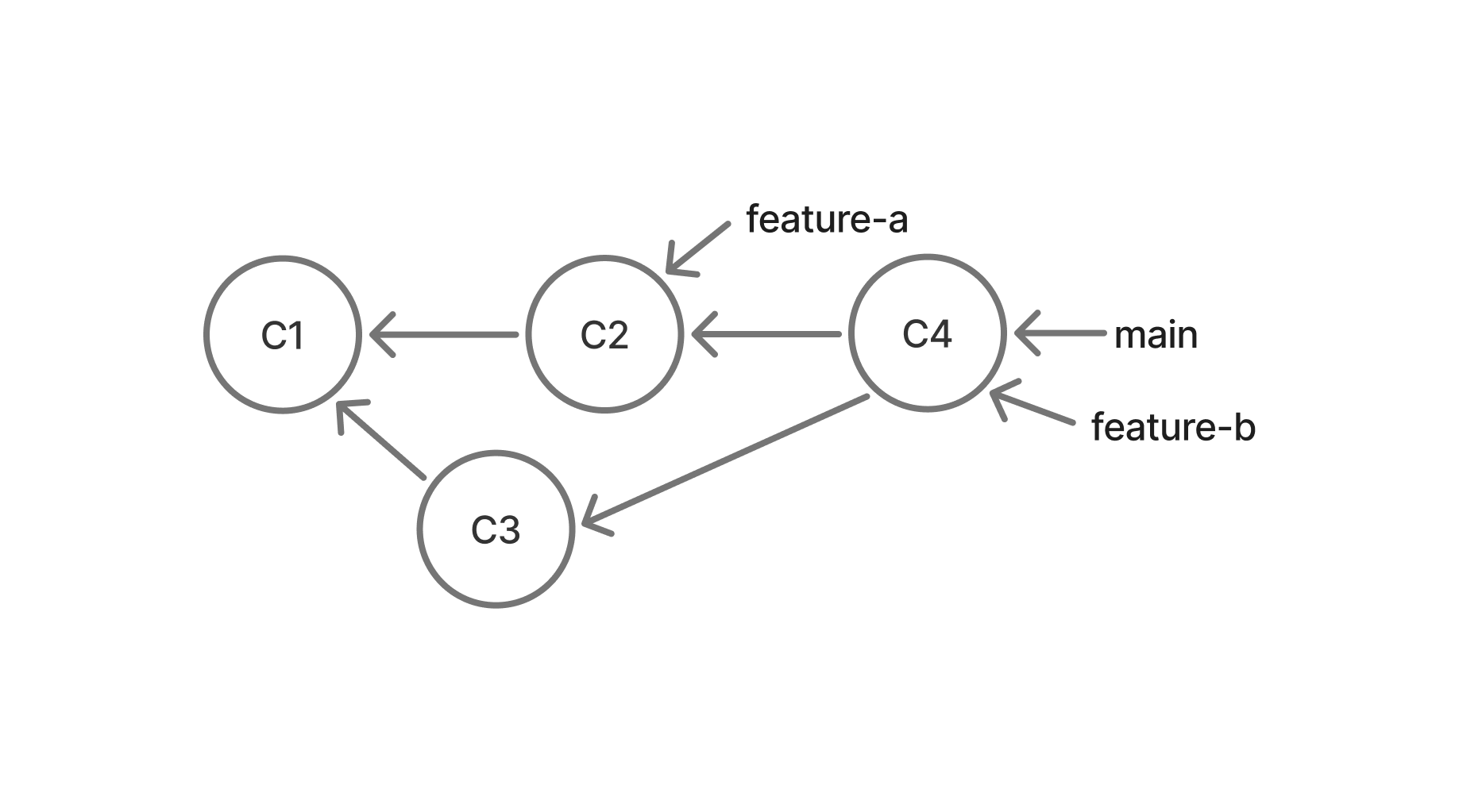
Both partners should now pull the newest main:
git checkout main
git pull origin mainNow you will create the same kind of situation again, but resolve it using rebase instead of merge.
Switch roles so that each person gets to perform the other side of the workflow: whoever was Person A in Part 2 should now be Person B, and vice versa. (GitHub owner/collaborator stays the same.)
The diagrams below reuse the same shapes from Part 2 — read rebase-a for feature-a and rebase-b for feature-b.
3.1. Person A Create Fresh Starter Code
On main, Person A should create a new file named rebase_code.py:
def say_goodbye() -> None:
    print("goodbye world!")


if __name__ == "__main__":
    say_goodbye()
Commit and push:
git add .
git commit -m "Add rebase starter code"
git push origin main
Both partners should pull:
git checkout main
git pull origin main
3.2. Create rebase branches (in parallel)
Work on these at the same time — Person A does the left column, Person B does the right.
Person A Create rebase-a
Make sure you are on main, then create a feature branch:
git checkout main
git checkout -b rebase-a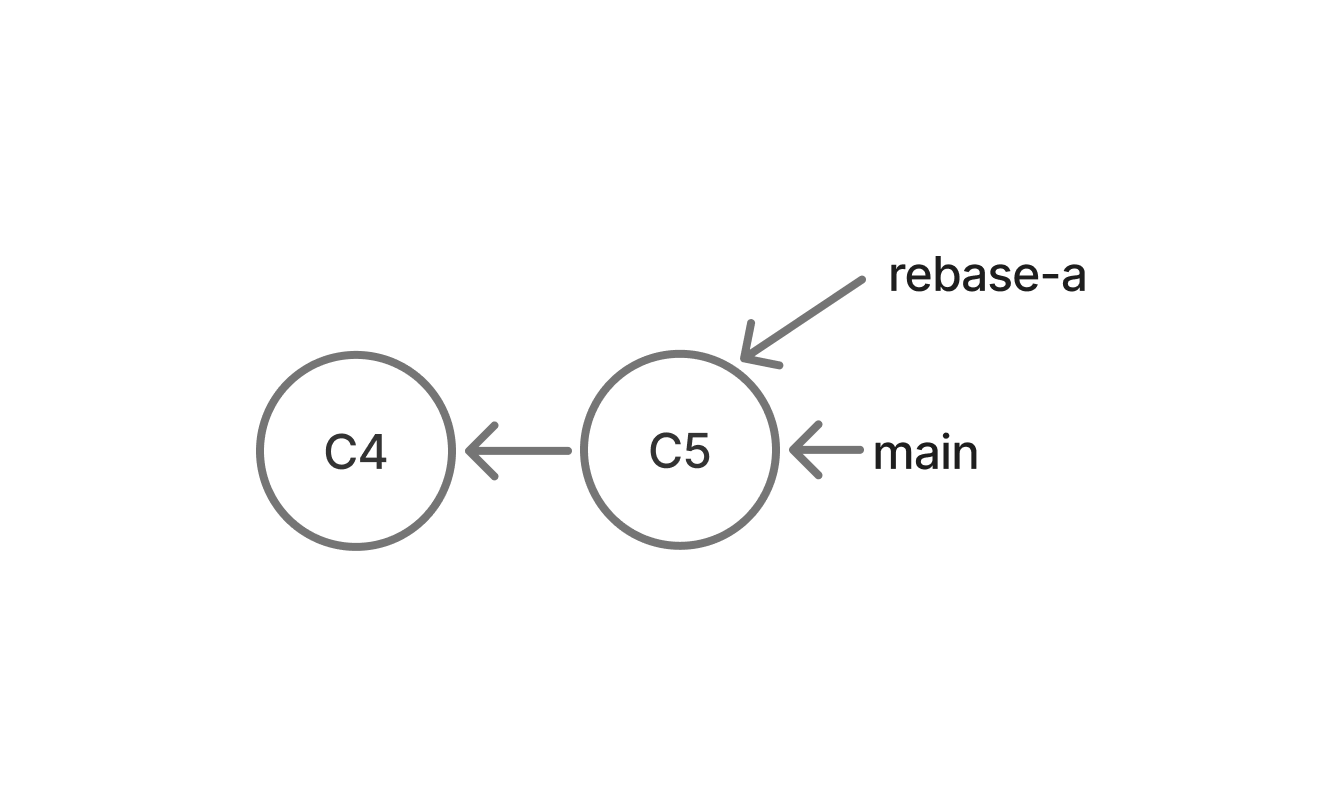
Change say_goodbye() so that it accepts a name.
For example:
say_goodbye("Walter")should print:
Goodbye Walter!Test your code.
Then commit and push your branch:
git add .
git commit -m "Add named goodbye"
git push -u origin rebase-a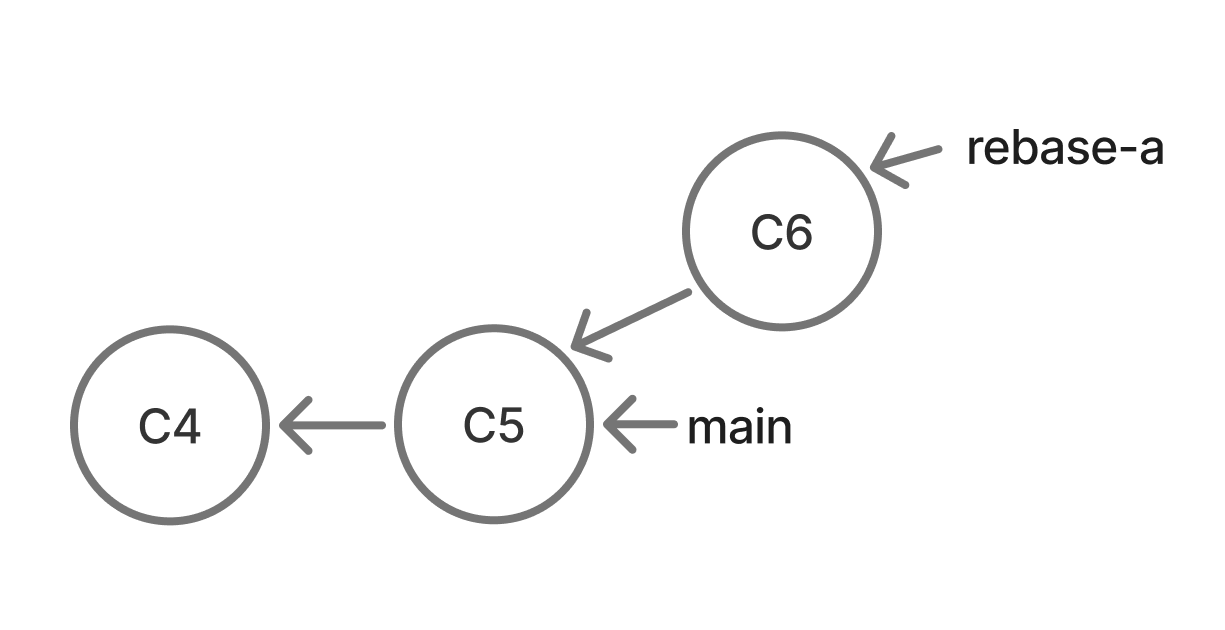
Person B Create rebase-b
Make sure you are on main, then create a different feature branch:
git checkout main
git checkout -b rebase-b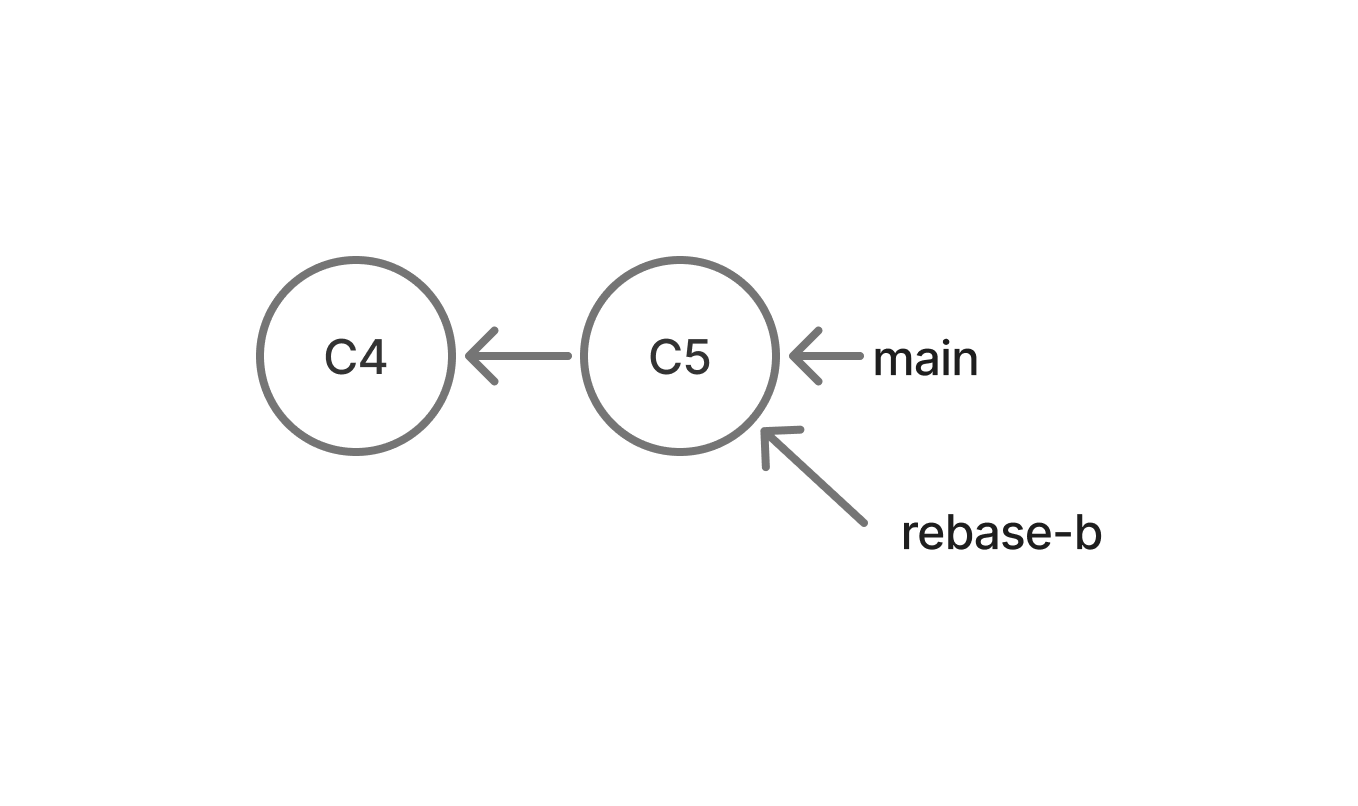
Change the function so that it prints "goodbye world!" a specified number of times.
For example:
say_goodbye_n(3)should print:
goodbye world!
goodbye world!
goodbye world!
Test your code.
Then commit and push your branch:
git add .
git commit -m "Add repeated goodbye"
git push -u origin rebase-b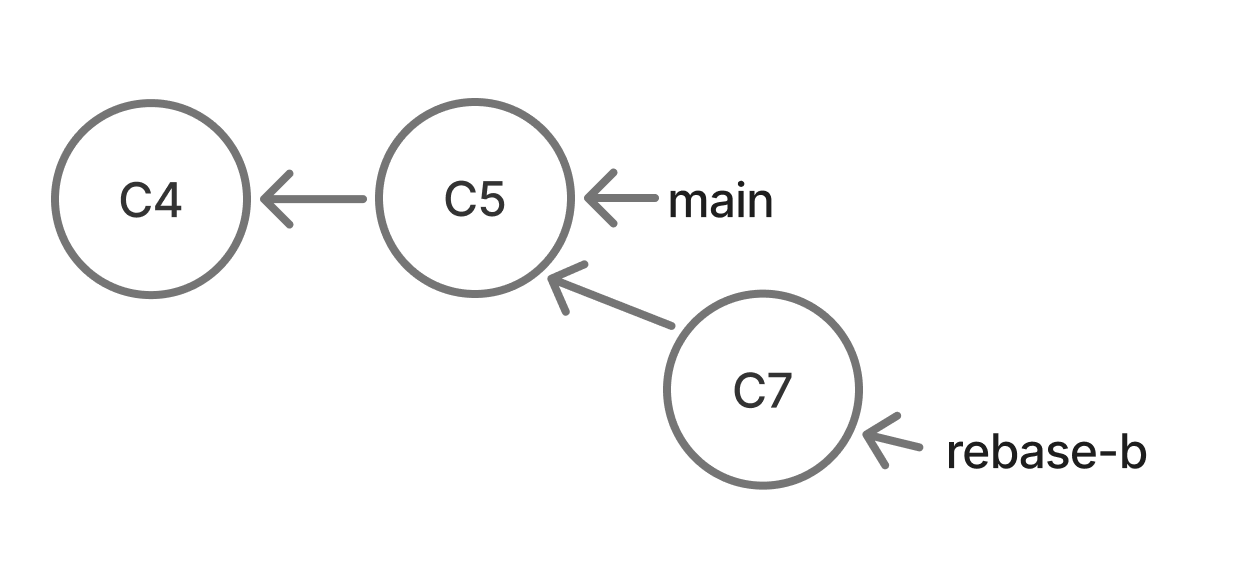
3.3. Sync and verify (both partners)
Once both of you have pushed your rebase branch to GitHub, fetch each other’s work and confirm you are still in sync.
On both computers:
git checkout main
git fetch origin
git pull origin main
List the remote branches:
git branch -rYou should see both origin/rebase-a and origin/rebase-b.
Then check that you share the same main commit:
git log -1 --onelineBoth partners should see the same commit hash and message. If anything is missing, wait for your partner to finish pushing, then fetch again.
Your Git tree should now look like this:
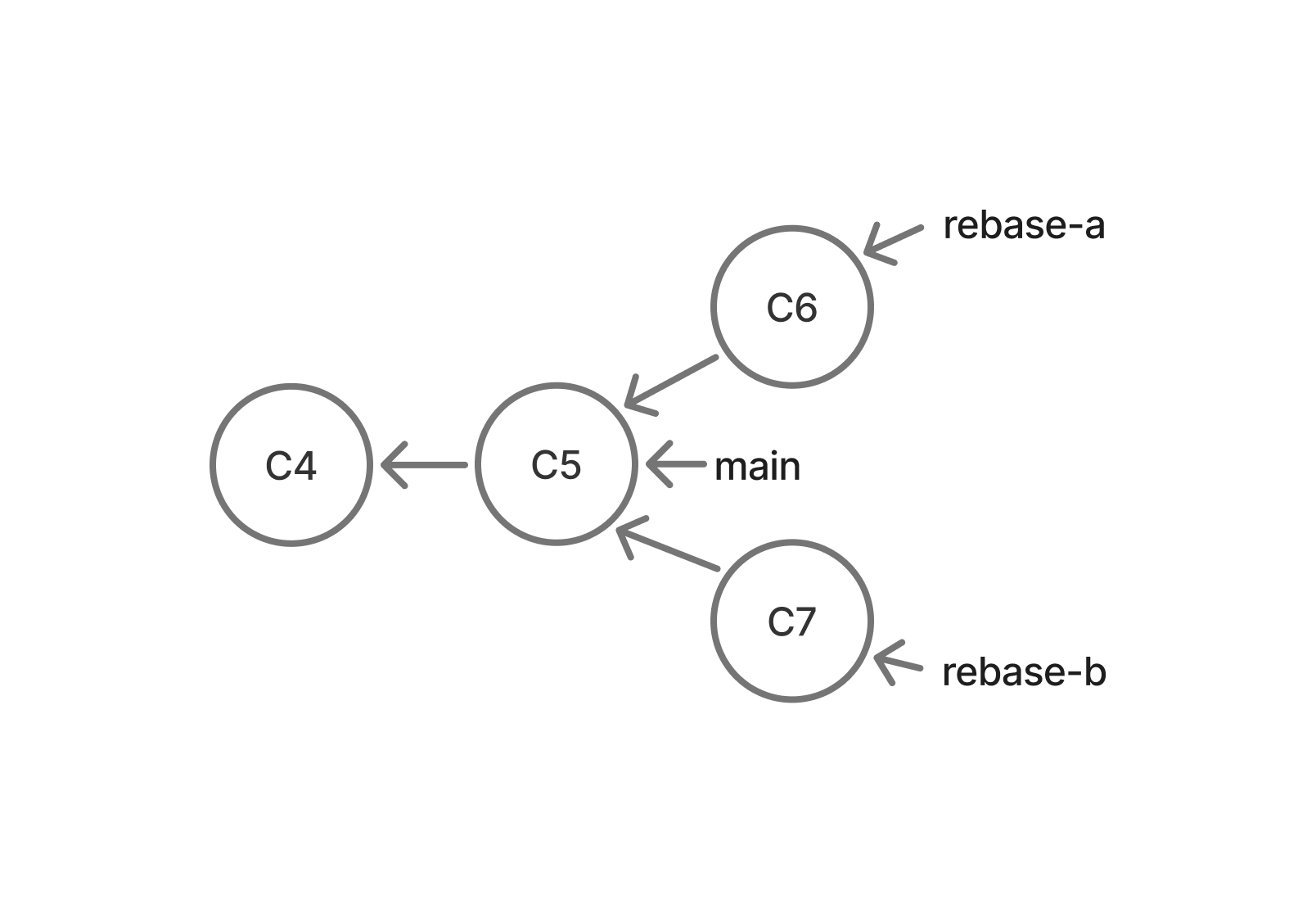
3.4. Merge rebase-a into main
Person A merges first:
git checkout main
git merge rebase-a
git push origin main
Now the shared repository looks like this:
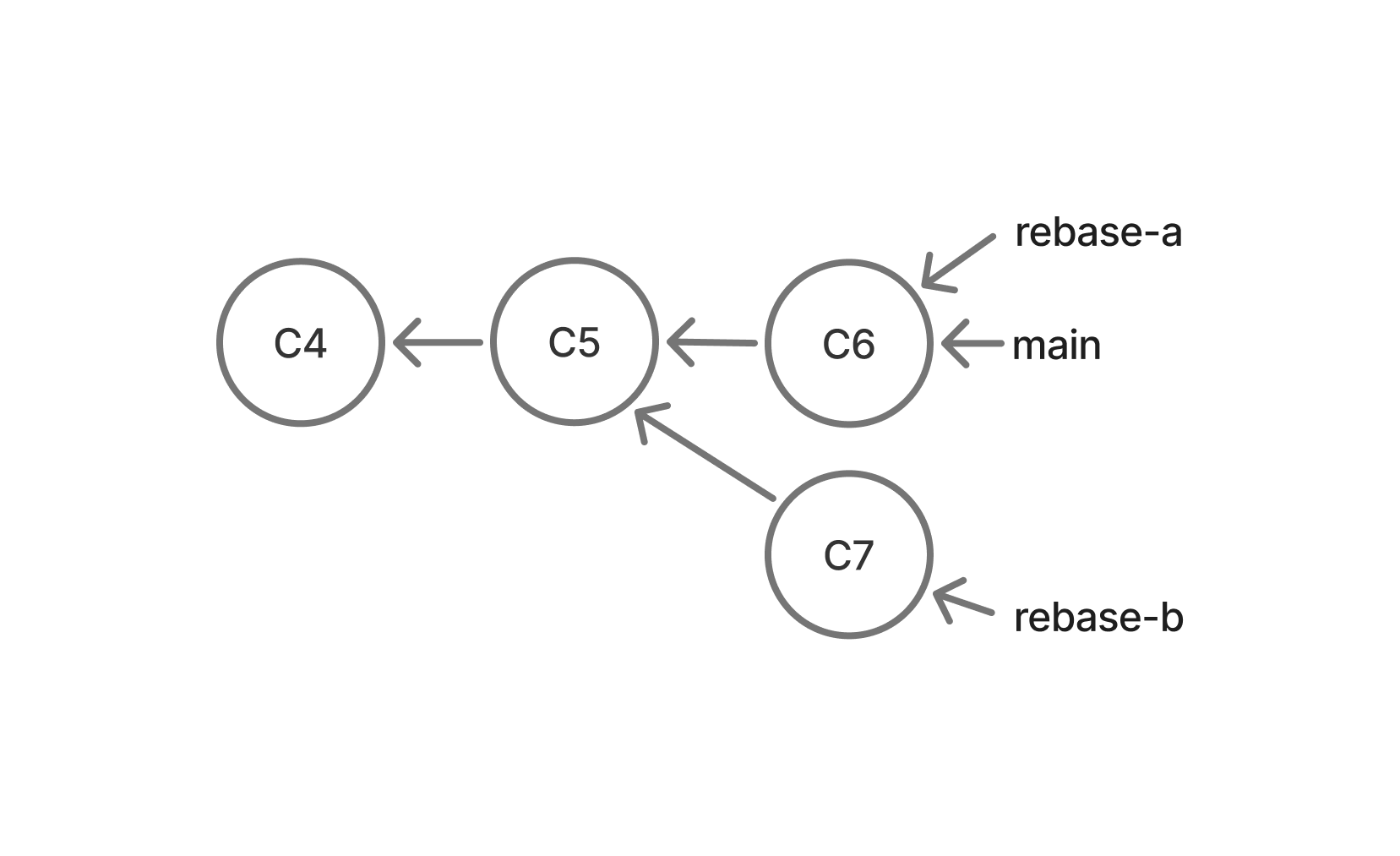
Again, this is a fast-forward: main had not diverged from rebase-a.
Person B’s branch was created from an older version of main. This time, instead of merging main into the feature branch, you will rebase the feature branch onto main.
3.5. Person B Update main
On Person B’s computer:
git checkout main
git pull origin main
git checkout rebase-b
You are now here (same shape as after Person A’s merge):
3.6. Rebase rebase-b onto main
While on rebase-b, run:
git rebase mainGit should stop because of a conflict.
Open rebase_code.py and resolve the conflict so that both features work.
Then:
git add .
git rebase --continue
When the rebase finishes, view the history:
git log --all --graph --oneline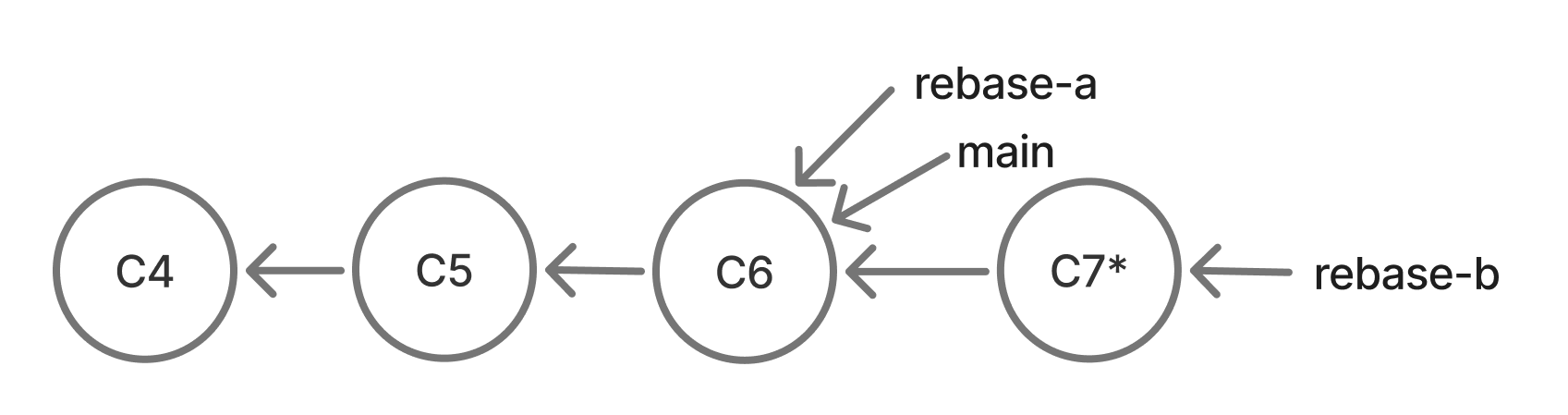
What just happened, simply:
- Git took the commits that only existed on
rebase-b - It replayed those changes on top of the newest
main - Those
rebase-bcommits get new commit hashes (they are rewritten) - The commits on
mainare not rewritten — they stay exactly as they were
So , instead of creating a merge commit (like in Part 2), you end up with a straight line.
The history is now linear.
3.7. Merge the Rebased Branch
Switch to main:
git checkout mainMerge rebase-b:
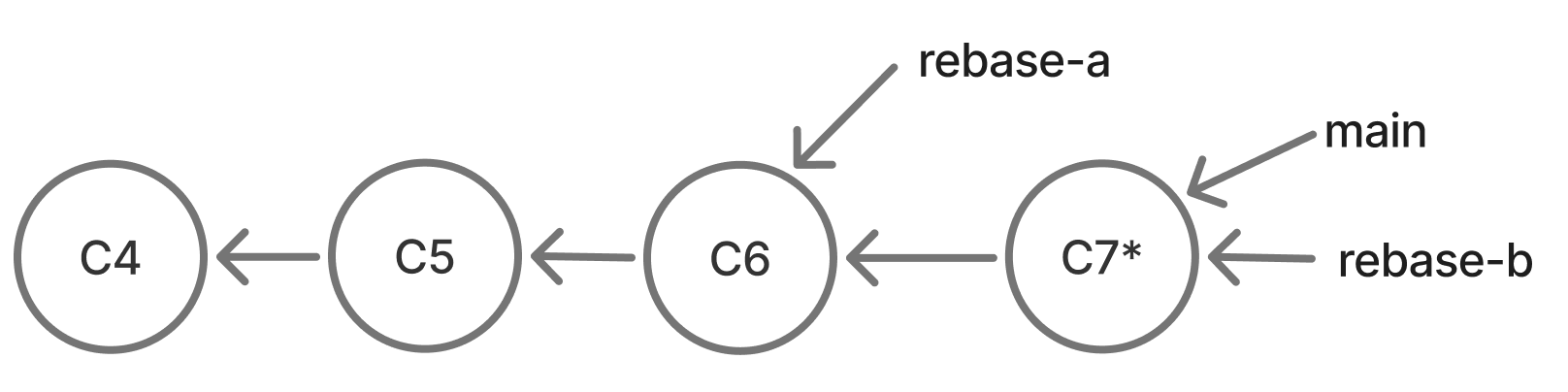
git merge rebase-bThis should be a fast-forward merge — main is an ancestor of the rebased rebase-b, so Git only moves the main pointer forward.
The history remains linear:
Push:
git push origin mainBoth partners should pull the newest main:
git checkout main
git pull origin main
Part 4: Reflection
After going through the merge commit and rebase process, it is useful to compare and contrast the two approachs. Please look at the history and then discussion the questions below with your partner:
git log --all --graph --oneline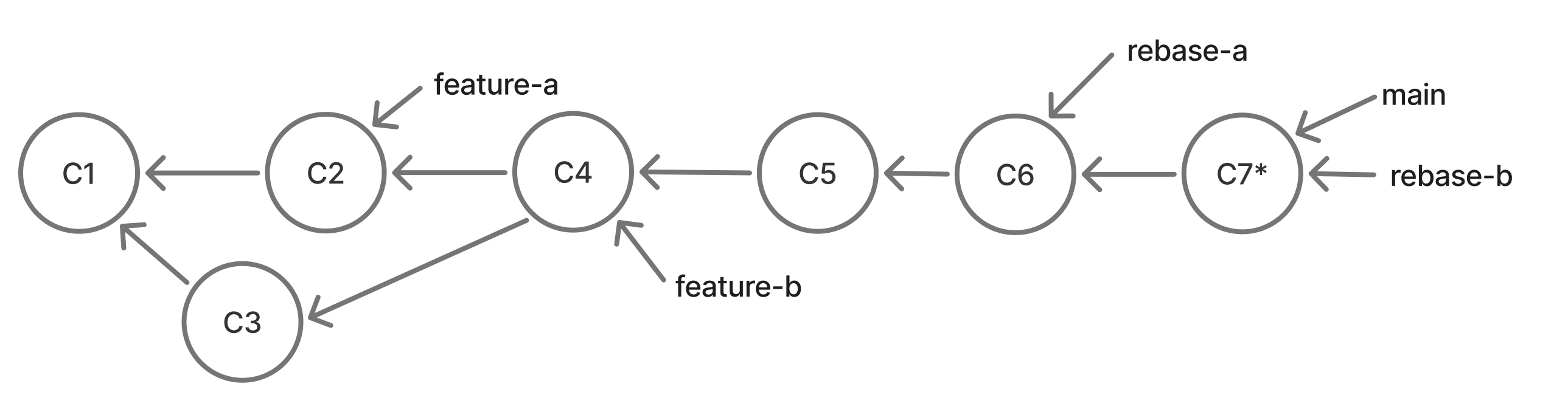
- Why did the conflicts happen?
- What happened when you merged
maininto a feature branch? - What happened when you rebased a feature branch onto
main? - How did the resulting Git histories differ?
- Which approach makes more sense to you right now?